 how-to
How to Troubleshoot Solar Power Drops During Heatwaves
Quick Summary
Heatwave solar drops are usually normal, because hot panels lose voltage and output even in bright sun. To troubleshoot, compare output against cooler days, check the time-of-day shape of the drop, inspect for soiling and shading, and look for inverter derate warnings before calling a technician.
- Hot cell temperature lowers voltage, so output falls even under full sun.
- Check the power temperature coefficient (Pmax) on your panel datasheet.
- A broad, smooth afternoon dip suggests heat; a sharp notch suggests shading.
- A flat-topped plateau with derate warnings points to the inverter, not the panels.
- Do not climb a hot roof or open enclosures during a heatwave; schedule inspections early or late.
Table of Contents
- Why Solar Output Drops When Temperatures Spike
- Understanding the Temperature Coefficient on Your Panel Datasheet
- How to Monitor Solar Panel Production Day by Day
- Step-by-Step Heatwave Troubleshooting Workflow
- Recognizing Solar Inverter Overheating Symptoms
- Solar Production Troubleshooting Checklist for Hot Weather
- When to Call a Technician and Booking a Heat-Safe Inspection
- Frequently Asked Questions
- Frequently Asked Questions
How to Troubleshoot Solar Power Drops During Heatwaves
Last Updated: November 2, 2026
Why Solar Output Drops When Temperatures Spike
Troubleshooting solar power drops during heatwaves starts with a simple fact: hot panels make less power. When cell temperature climbs, voltage falls, and so does output.
The key is knowing which drops are expected and which signal a real problem. For a deeper explanation of how summer heat cuts panel efficiency and inverter output, see how heat cuts panel efficiency and inverter output.
How cell temperature lowers panel voltage
Solar cells lose voltage as they heat up. A panel on a hot day can run far hotter than the air around it, especially on a dark roof.
- Higher cell temperature reduces voltage
- Lower voltage cuts the power a panel delivers
- Hot rooftops make the effect worse
Why full sun does not guarantee peak production
Bright sunlight feels like ideal conditions, but it does not always mean peak output. Heat can cancel out much of the extra light. On the hottest afternoons, a panel may produce less than on a cooler, slightly hazy morning.
Understanding the Temperature Coefficient on Your Panel Datasheet
Your panel datasheet lists a temperature coefficient, usually as a negative percentage per degree Celsius. It tells you how much output drops for each degree above the standard test temperature of 25°C (77°F).
A common mistake is ignoring this number. Look for the power temperature coefficient, often labeled Pmax.
Check your panel's exact spec, because values vary by manufacturer and model.
How to Monitor Solar Panel Production Day by Day
Daily tracking is the fastest way to spot a real drop. Use your inverter or monitoring app, and record production at the same time each day so you can separate heatwave solar drops from actual faults. Log the weather too.
- Note your daily kWh output for a clear-sky week.
- Record the daily high temperature.
- Compare output on hot days against cooler days with similar sun.
- Flag any day where output drops sharply without a clear weather cause.
Watch out: Do not judge production by a single cloudy or extremely hot afternoon. Look at weekly trends instead.
Step-by-Step Heatwave Troubleshooting Workflow
Most guides stop at "check your app and call someone." A useful heatwave workflow is a diagnostic sequence: each step narrows the cause using evidence you can collect without touching hot equipment. Work through these steps in order and record what you find at each one.
Step 1: Establish a weather-adjusted baseline
Before you call anything a fault, compare current output against a realistic expectation for the conditions.
A common pattern is a smooth decline of a few percent per day as the heat builds, tracking the temperature curve. That is consistent with normal temperature coefficient losses.
Step 2: Check the time-of-day shape of the drop
Heat losses are broad and gradual: output is lower across the whole afternoon, not zero. Shading produces a sharp notch at a specific time as the sun crosses an obstruction. Inverter derating often shows as a plateau, output flat-tops at a reduced level during the hottest hours, then recovers in the evening.
- Broad, smooth afternoon dip → consistent with heat
- Sharp notch at the same time daily → shading or soiling on a specific string
- Flat-topped plateau with warnings → inverter or charge-controller derate
Step 3: Compare string-level or panel-level output
If your monitoring shows per-string or per-panel data, compare them side by side at the same timestamp. Heat affects the whole array in similar proportion. A single string or panel running well below its neighbors points to soiling, shading, a failed bypass diode, or a connection issue, not heat.
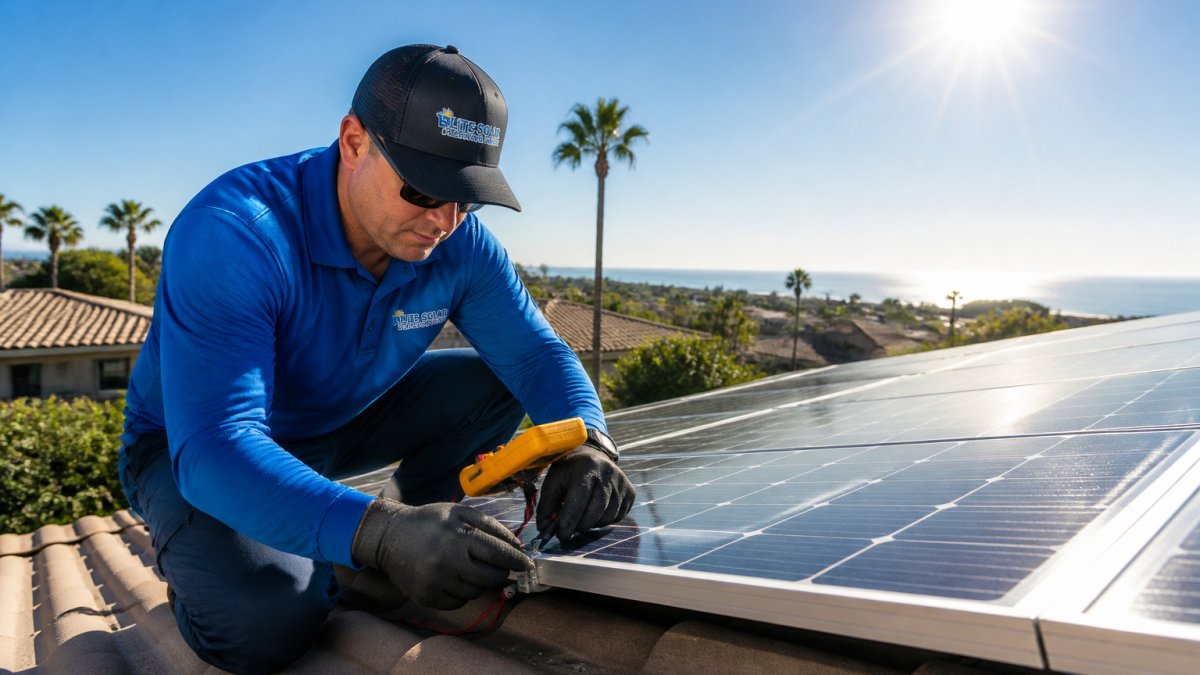
If you only have system-level monitoring, a clamp meter reading at each string combiner box during steady afternoon sun can reveal the outlier string. Only do this if you are qualified and the equipment is not too hot to touch safely.
Step 4: Rule out soiling and shading
Inspect panels visually from the ground in early morning or late evening. Look for bird droppings, dust films, leaf litter, and new tree growth or structures casting shadows. Learn the visible signs that point to dirty panels and how to check from the ground. Soiling compounds heat losses: a dirty panel already running hot loses more output than a clean one at the same temperature, which makes the drop look larger than physics alone explains. See how much output dirt and soiling actually cost before deciding whether cleaning is the cause.
Step 5: Check inverter and charge-controller status
Open the monitoring app and look for derate messages, temperature warnings, and fault codes. Note the exact code and the timestamp. Many inverters log a temperature derate event that coincides with the afternoon plateau from Step 2, that confirms the cause without any roof work.
Step 6: Verify ventilation and clearance
Confirm that inverter vents are not blocked, that the unit is not boxed in by stored items, and that any battery enclosure has airflow. A surprising number of summer derates trace to an inverter installed in a hot garage corner with no clearance.
Step 7: Document and escalate
If output stays depressed after a cooler day, or if fault codes persist, gather your evidence: daily production graph, temperature log, fault codes with timestamps, and string-level readings. That package lets a technician diagnose remotely instead of guessing on a hot roof.
Do not open electrical enclosures, remove panel covers, or climb on a roof during a heatwave. Surface temperatures on dark roofing and metal racking can cause burns, and heat stress raises the risk of falls. Restrict yourself to monitoring data and ground-level visual checks.
Recognizing Solar Inverter Overheating Symptoms
An inverter is a power-electronics device, and like any of them it has a thermal limit. When internal temperature rises past a threshold, the unit protects itself by reducing output, a derate, or in extreme cases by shutting down until it cools. That behavior can look exactly like a panel problem on your monitoring app, which is why it deserves its own diagnostic pass.
How inverter derating works
Most residential string inverters use passive or fan-assisted cooling and begin derating somewhere in the upper range of their rated operating temperature. Check your inverter datasheet for its rated ambient temperature and derate curve; the exact numbers vary by manufacturer. The key mechanism: as temperature rises, the inverter limits DC-to-AC conversion to protect its components, so AC output flat-tops even though the array is still producing.
Symptoms that point to the inverter, not the panels
- Output plateaus at a reduced level during the hottest afternoon hours, then recovers as the evening cools
- Derate or temperature warning messages in the monitoring app
- Fan running continuously or unusually loud
- Inverter case hot to the touch (check with the back of your hand near, not on, the case, and only if it is safe)
A panel heat loss does not produce a flat-topped plateau or warning messages. If you see either, focus on the inverter.
Safe checks you can do yourself
- Review the monitoring app for derate events and note the time of day they occur.
- Confirm the inverter has clear airflow, no boxes, bags, or debris against vents.
- Check that the inverter is not in direct sun if the installation allows shade without blocking ventilation.
- Verify the ambient temperature around the unit with a simple thermometer; a hot garage or closet can run well above outdoor air temperature.
- Note whether the derate correlates with the hottest part of the day.
Do not open the inverter enclosure, spray it with water, or place ice packs on it. Inverters hold hazardous DC and AC voltages, and rapid cooling can cause condensation inside the unit. If the case is too hot to touch comfortably, treat it as an electrical hazard and call a qualified technician.
Charge controllers and batteries
Off-grid and hybrid systems add two more heat-sensitive components. Charge controllers can throttle charging when they overheat, which shows up as reduced battery charging during peak sun even though the array is fine. Batteries, particularly lithium chemistries, have their own temperature limits and may stop accepting charge when the enclosure gets too warm. Ventilated, shaded battery enclosures and clearance around charge controllers prevent most of these events.
When to escalate
Call a qualified technician if the inverter derates on multiple consecutive days, if fault codes persist after cooldown, if you smell burning or see discoloration, or if the unit shuts down and does not restart. Provide the fault code, the time of each event, and your monitoring graph, that information often lets the technician identify a failing fan, a blocked vent, or a unit that needs replacement before setting foot on the property.
Solar Production Troubleshooting Checklist for Hot Weather
- Compare output against a clear-day baseline
- Review the panel temperature coefficient on your datasheet
- Inspect panels for dirt, debris, and shading
- Check inverter temperature and fault codes
| Symptom | Likely Cause | First Action |
|---|---|---|
| Gradual drop on hot days | Heat losses | Compare with cooler-day output |
| One section underperforms | Shading or soiling | Inspect and clean affected panels |
| Afternoon drop with warnings | Inverter derate | Check inverter temperature |
When to Call a Technician and Booking a Heat-Safe Inspection
Call a professional if output stays low after you rule out heat, or if you see fault codes or damage. Do not climb on a hot roof during a heatwave. Schedule inspections for early morning or evening.
Professional cleaning and inspection can help separate soiling and equipment faults from normal heat losses. Contact Elite Solar Cleaning Pros for current pricing and a quote on a heat-safe inspection. Book home solar panel cleaning across San Diego County with a crew that uses deionized water and sends completion photos.
Frequently Asked Questions
Why does solar output drop during a heatwave?
Solar cells lose voltage as their temperature rises, so the same sunlight produces less power. Most panels list a temperature coefficient on their datasheet, usually a negative percentage per degree Celsius above 25 degrees, that shows how much output falls. Heat also reduces inverter efficiency and can trigger derating. A modest drop on a hot afternoon is normal, but a sharp, sustained decline compared with cooler days of similar sunlight points to something else worth checking.
Do solar panels produce less electricity when they get too hot?
Yes. Higher cell temperatures reduce voltage, and that reduction lowers total power output even when irradiance is strong. Panel-level temperature coefficients determine how large the loss is. Because the effect is gradual, many homeowners mistake it for a fault. Comparing production against a similar sunny day at a cooler temperature helps separate expected heat losses from genuine equipment problems.
How can I tell whether a heat-related drop in solar production is normal?
Compare your daily production with the same period in previous months and check irradiance or sunlight levels for that day. If output fell roughly in line with temperature and sunlight, the drop is likely normal. If production falls sharply while sunlight and temperature are similar to a day that performed well, investigate shading, soiling, inverter faults or fault codes before assuming heat is the cause.
When should I call a solar technician about low production?
Call a licensed, insured technician if production stays well below your weather-adjusted baseline after the heat breaks, if your inverter shows fault codes or repeated shutdowns, or if you notice a burning smell, discoloration or unusually hot equipment. Have your production history, inverter model, recent fault messages and photos of the equipment ready so the technician can diagnose the issue quickly.
Frequently Asked Questions
Why does my solar output drop during a heatwave?
Higher panel temperatures reduce voltage, which lowers power output. Dirt, shading, and inverter derating can make the drop worse.
Is a summer production dip always a problem?
No. Some drop in extreme heat is normal. Persistent drops that do not recover after cooler weather may point to soiling or equipment faults.