 how-to
7 Signs of Solar Panel Microcracks to Check Now
Last Updated: October 30, 2026
Quick Summary
Solar panel microcracks are tiny fractures in the silicon cells of a photovoltaic module, often too small to see from the ground. Signs include dark lines or star-shaped patterns on cells, unexplained drops in daily energy production, and cells running hotter than their neighbors.
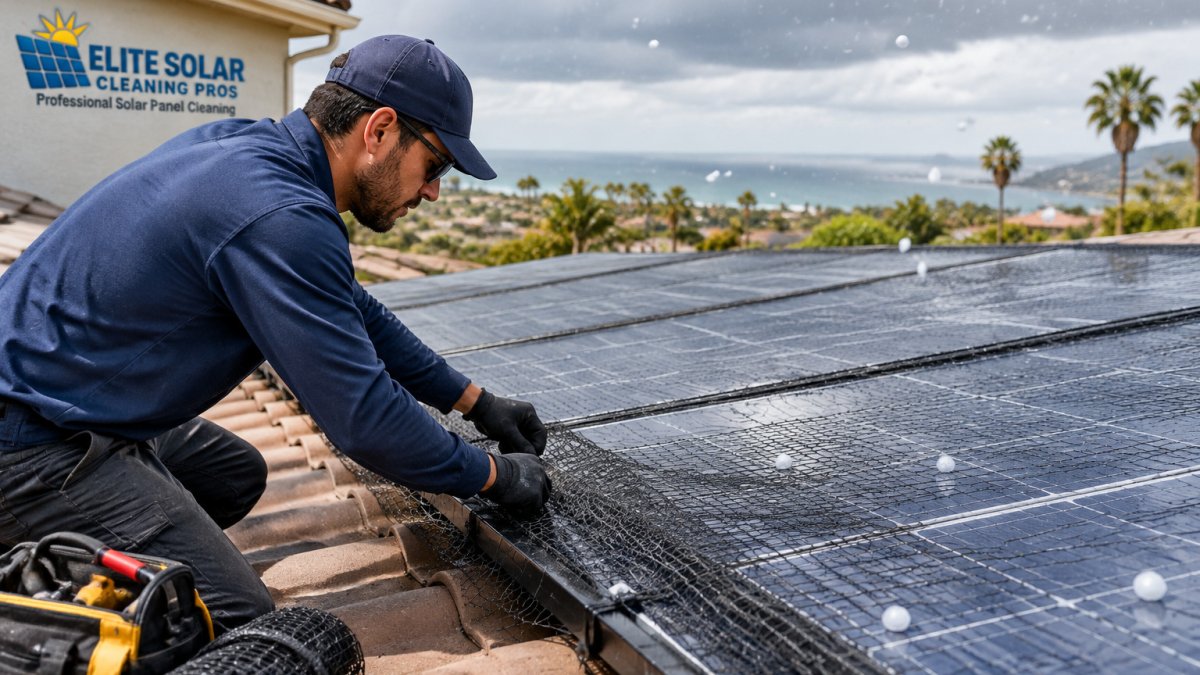
- Microcracks often start during handling, transport, or installation, and hail or snow can widen them.
- Rule out dirt, bird droppings, and water spots before concluding a panel is cracked.
- Compare panels against each other with a thermal camera on a sunny day, not against an absolute temperature.
- Only electroluminescence (EL) imaging reliably shows microcracks, and homeowners can request it from an installer.
- Save dated photos, thermal images, and output data before any repair, since evidence may disappear after replacement.
Table of Contents
- What Solar Panel Microcracks Are and Why They Matter
- 7 Visible and Performance Signs of Solar Panel Microcracks
- Solar Panel Microcrack Detection: Visual and Thermal Methods
- How Microcracks Affect Solar Panel Power Output
- A Homeowner's Solar Panel Inspection Checklist
- Solar Panel Warranty for Cracked Cells: What to Do Next
- Frequently Asked Questions
What Solar Panel Microcracks Are and Why They Matter
Solar panel microcracks are tiny fractures in the silicon cells inside a photovoltaic module. They are often too small to see from the ground, yet they can quietly reduce how much electricity your system produces.
Most microcracks start during handling, transport, or installation. Repeated thermal cycling, hail, and heavy snow load can also widen them over time. Each crack can interrupt the current path through a cell, which lowers the power that cell contributes to the string.
Here is the practical takeaway: a cracked cell does not always stop working, but it can cut output and, over years, create conditions for hot spots and moisture ingress. Knowing the warning signs lets you act before a small problem becomes an expensive one.
7 Visible and Performance Signs of Solar Panel Microcracks
Some microcracks show up on the glass. Others only appear in how your system performs. Watch for these seven signs.
- Dark lines running across a cell
- Star-shaped or spiderweb patterns on the surface
- Unexplained drops in daily energy production
- Output that falls more during certain weather or temperatures
- Cells or sections that run noticeably hotter than their neighbors
- Inverter alerts about string or module performance
- Discoloration or browning around a cracked area
Not every sign means a crack. Dirt, bird droppings, and water spots can mimic some of these symptoms. That is why we recommend ruling out soiling first, then checking the panel closely.
Dark Lines or Star-Shaped Patterns on the Cell Surface
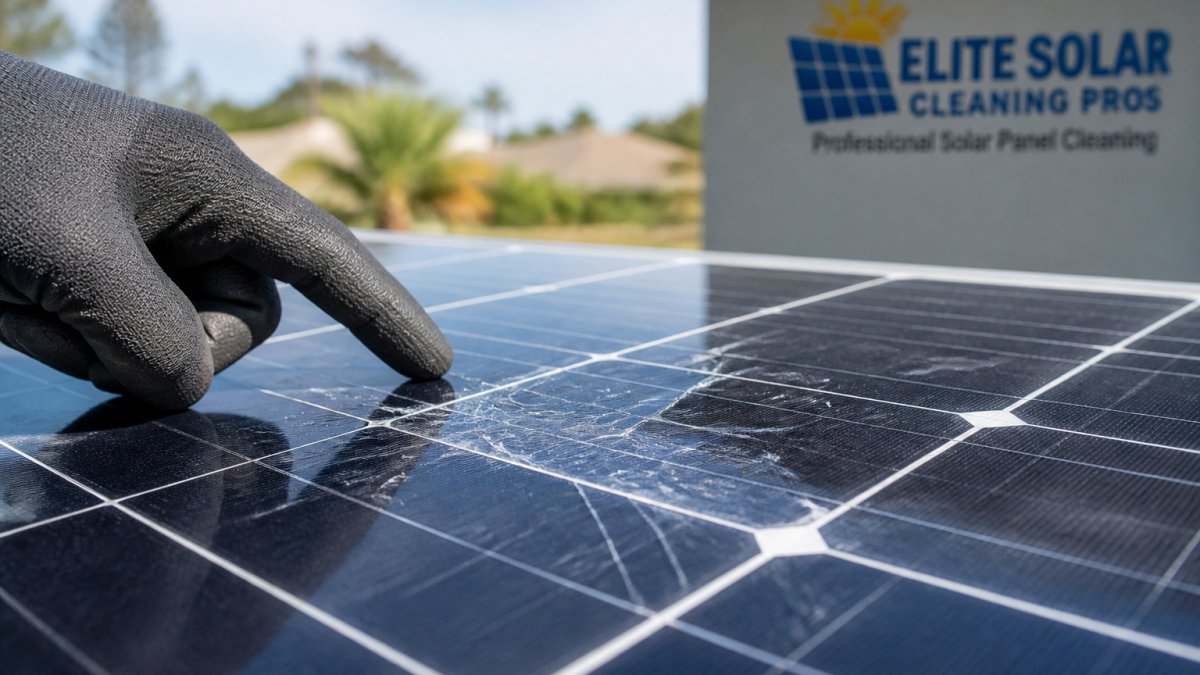
Look for thin dark lines that run straight or branch across a cell. A star-shaped pattern usually means the crack started at an impact point and spread outward. Check these patterns in bright, indirect light, and view the panel from several angles, since glare can hide them.
Unexplained Drops in Daily Energy Production
A sudden or steady drop in production, with no change in weather or shading, is a strong clue. Compare your monitoring data against the same period in previous months. If one string consistently underperforms, the cracked module may sit on that string.
Here is a quick reference for the seven signs of microcracks covered in this section.
| Sign | Type | Quick check |
|---|---|---|
| Dark lines across a cell | Visible | View in bright, indirect light |
| Star-shaped or spiderweb patterns | Visible | Crack spread outward from an impact point |
| Unexplained drop in daily production | Performance | Compare against the same period in previous months |
| Output falls more in certain weather or temperatures | Performance | Note conditions when output drops |
| Cells running hotter than neighbors | Thermal | Compare panels against each other |
| Inverter alerts about string or module performance | Performance | Save screenshots of the alert |
| Discoloration or browning around a cracked area | Visible | Rule out dirt and water spots first |
Solar Panel Microcrack Detection: Visual and Thermal Methods
Detection starts with a simple visual check and moves to specialized tools if needed. Safety comes first. Do not climb on your roof or lean over edges to look closer. Use a ladder only if you can do so safely, or use binoculars from the ground.
Visual inspection works best on a clean panel in even daylight. Look at the panel from several angles, because glare can hide a hairline crack at one angle and reveal it at another. A common mistake is assuming a crack is harmless because the panel still produces power. Cracks can grow over time, so a documented baseline helps you track changes.
Thermal Imaging: What a Homeowner Can Actually Do
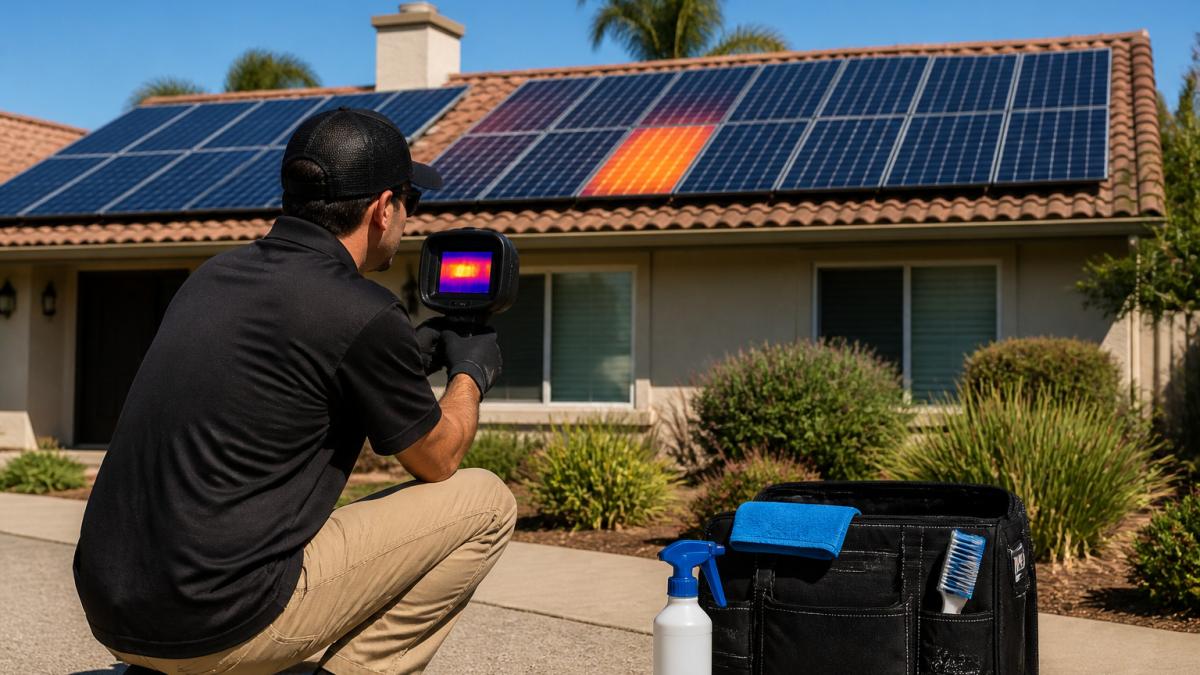
Thermal imaging, often done with an infrared camera, can reveal hot spots caused by cracked cells, since damaged areas tend to heat up under load. A homeowner can rent or buy a consumer-grade infrared camera and do a basic scan from the ground on a sunny day.
Here is the practical sequence most practitioners recommend:
- Scan on a clear, sunny day when the system is producing at or near peak. A cracked cell that is heating up will usually show as a warmer patch than its neighbors.
- Compare panels against each other, not against an absolute temperature. A single panel that runs noticeably hotter than the rest of the array is the flag.
- Photograph the thermal image and note the date, time, weather, and system output at that moment. That record becomes your baseline.
- Repeat the scan after a storm or hail event and compare against the baseline.
A thermal camera will not confirm a microcrack on its own. It flags a temperature anomaly. Confirmation still requires a professional inspection, but the thermal image is strong evidence to bring to an installer or manufacturer.
Electroluminescence (EL) Imaging Explained
Electroluminescence (EL) imaging is the most reliable way to see microcracks. The module is placed in a dark environment and a current is passed through it. Healthy silicon emits a faint glow, and a cracked cell shows up as a dark line or dark patch because current cannot flow through the fracture. EL imaging requires specialized equipment and usually a technician on site, which is why it is the standard for warranty inspections and factory quality control.
For a homeowner, the takeaway is simple: you cannot do EL imaging yourself, but you can request it. If you have a documented output drop and a thermal anomaly, ask your installer or manufacturer whether an EL inspection is covered under your warranty or available as a paid service.
How Microcracks Affect Solar Panel Power Output
A microcrack does not always cut output by a large amount. The effect depends on how many cells are affected, where the crack sits, and how the module is wired. Cracks that cut a busbar or isolate part of a cell usually cause the biggest losses.
Power loss can also compound. A cracked cell can heat up, which accelerates further damage. Over several years, this can turn a minor loss into a noticeable drop in system output.
Cleaning and cracks are separate issues. Cleaning removes dirt and residue that block light, and it can restore some output. It will not repair a broken cell. If cleaning does not improve production, a crack or another fault is a likely cause.
A Homeowner's Solar Panel Inspection Checklist
Use this checklist to work through a basic inspection. Do the ground-level checks yourself and call a professional for anything that needs roof access or specialized equipment.
- Review monitoring data for the past 12 months and note any sudden drops
- Compare output between strings or panels when your system allows it
- Look for dark lines, star patterns, or discoloration with binoculars in good light
- Check for debris, bird droppings, or water spots that could mimic damage
- Read any inverter or monitoring alerts and save screenshots
- Note the date of installation and any storm or hail events
- Photograph any suspected damage for your records
- Schedule a professional inspection if you find cracks or unexplained losses
For systems with unexplained output drops, a documented inspection can help show whether the problem is soiling, a crack, or a wiring fault.
Solar Panel Warranty for Cracked Cells: What to Do Next
If you find a crack, check your warranty before you do anything else. Most panel manufacturers offer a product warranty and a separate performance warranty. Each covers different problems, and each has its own claim process. Here is the process most installers and manufacturers follow when a claim is filed.
Step 1: Read Both Warranties Carefully
The product warranty typically covers manufacturing defects and physical damage under defined conditions. The performance warranty typically guarantees a minimum power output over a set number of years. A microcrack may fall under one or both, depending on how it started. If the crack came from hail or a handling error during installation, the product warranty is the relevant one. If the crack has reduced output below the guaranteed threshold, the performance warranty may apply.
Step 2: Build Your Documentation File
Claims often depend on documentation, so organized records make a real difference. Collect:
- Purchase records and the original installation contract
- Installation date and the names of the installation crew, if available
- Module serial numbers (usually on a label on the back of each panel)
- Inverter and monitoring data showing the output drop, exported as a file or screenshots with dates
- Photographs of the damage, taken in good light from multiple angles
- Thermal images, if you have them, with date and time stamps
- A log of when you first noticed the problem and any storm or hail events since installation
Step 3: Contact the Installer First, Then the Manufacturer
In most cases the installer is your first contact, because they hold the installation records and often handle the claim on your behalf. Ask specifically what evidence they require and whether an EL inspection or professional report is needed. Get the claim number and the name of the person handling it in writing.
Step 4: Expect an Inspection
Warranty terms vary, and some claims require a professional inspection report. An EL inspection is common at this stage because it produces clear evidence of the crack. Ask for written confirmation of what is covered before you agree to any repair or replacement, and ask who pays for the inspection if the claim is denied.
Step 5: Track the Timeline
Warranty claims can take weeks to months. Keep a written log of every call, email, and inspection date. If the claim stalls, a documented timeline is what lets you escalate to the manufacturer's customer service or, if needed, a state consumer protection office.
Frequently Asked Questions
What are the signs of microcracks in solar panels?
The most common signs are thin dark lines or star-shaped patterns on individual cells, and a drop in daily energy production that does not match weather or seasonal changes. Some microcracks are only visible under angled light or with an inspection camera. If you notice either sign, have the panels inspected before assuming the cause is dirt or shading. A professional inspection can confirm whether the cracks are cosmetic or affecting output.
Can you see microcracks in a solar panel with the naked eye?
Some can, especially larger cracks that run across several cells or create visible dark lines when the panel is viewed at an angle in bright sunlight. Many microcracks are too fine to see from the ground, however. Electroluminescence imaging, which uses a camera to reveal cell-level defects, is the standard way to find them. A visual check is a useful first step, but it does not rule out hidden cracks.
Do microcracks reduce solar panel output?
They can. A microcrack can isolate part of a cell from the current path, which reduces that cell's contribution to the module's output and can create localized heat. The actual loss depends on how many cells are affected and where the cracks sit. Because performance drops are gradual and often mixed with dirt or shading losses, comparing your production data against similar systems helps show whether a crack is the cause.
Solar panel warranty for cracked cells: is cell damage covered?
Coverage depends on the manufacturer's product and performance warranty terms and on what caused the damage. Many warranties cover manufacturing defects but exclude damage from hail, impact, or improper installation. Document the damage with dated photos, keep your installation and maintenance records, and contact your installer and the manufacturer before any repair work starts. Contact the installer or manufacturer for guidance on inspection options and any associated costs.